
Free chess database software for Windows, macOS and Linux
Open PGN and ChessBase files, read annotated games, and analyse them with Stockfish. Fast, native and open source.
Other platforms and formats · What's new in 0.6.0
Other formats: .deb · .rpm · Arch · AppImage · Flatpak · More…
ChessPenguin is a desktop app for Windows, macOS and Linux. Open this page on your computer to download it.
See all downloadsFree and open source. No account, no ads, no tracking.
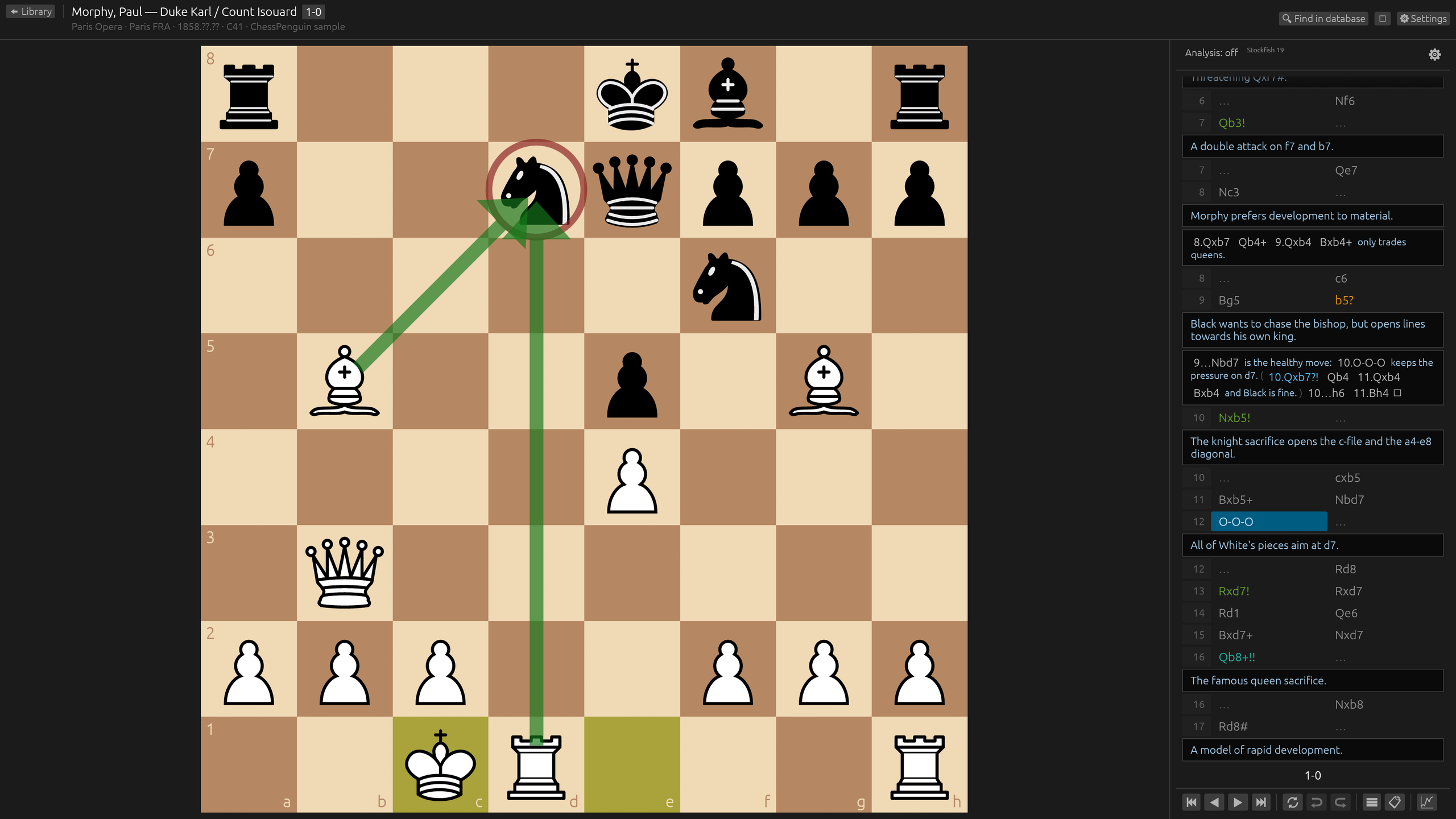
See it in action
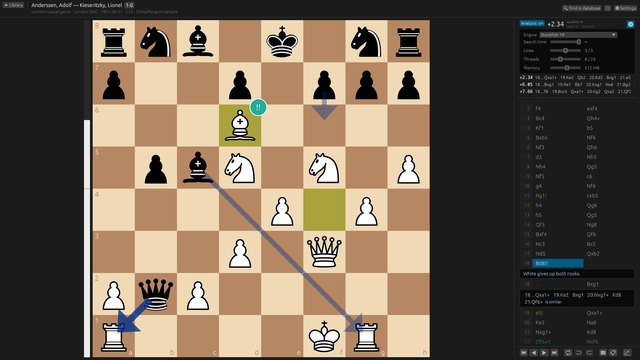
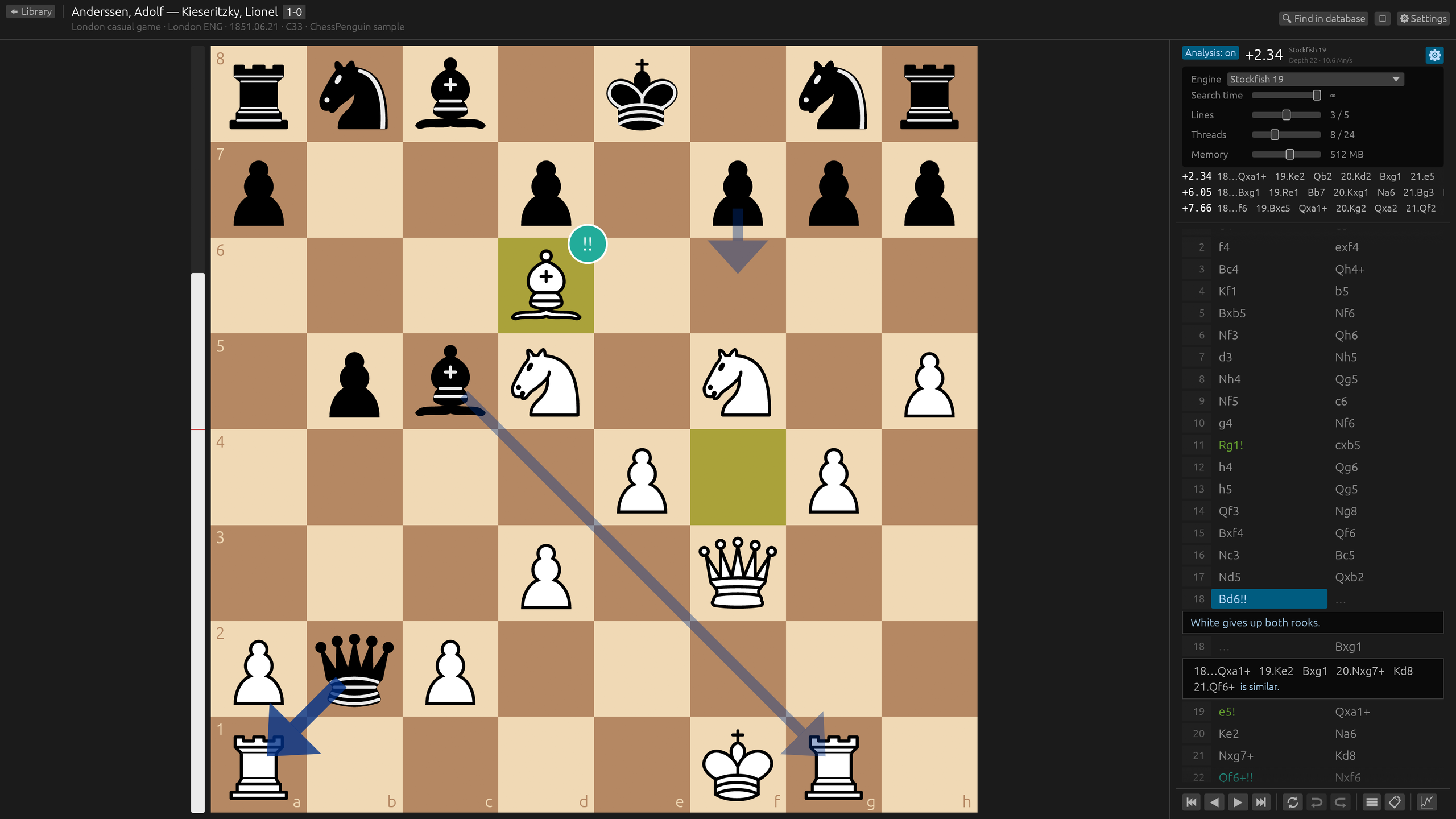
Live engine analysis: up to five lines, evaluation bar and best-move arrows.
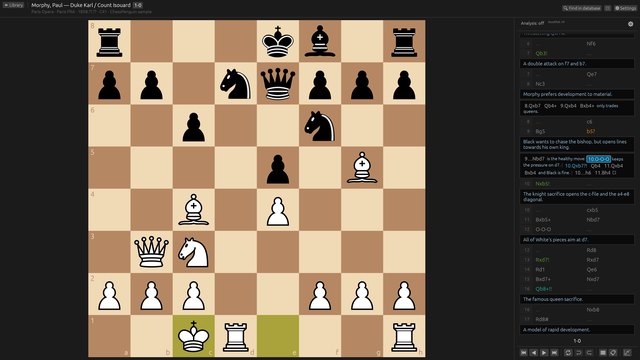
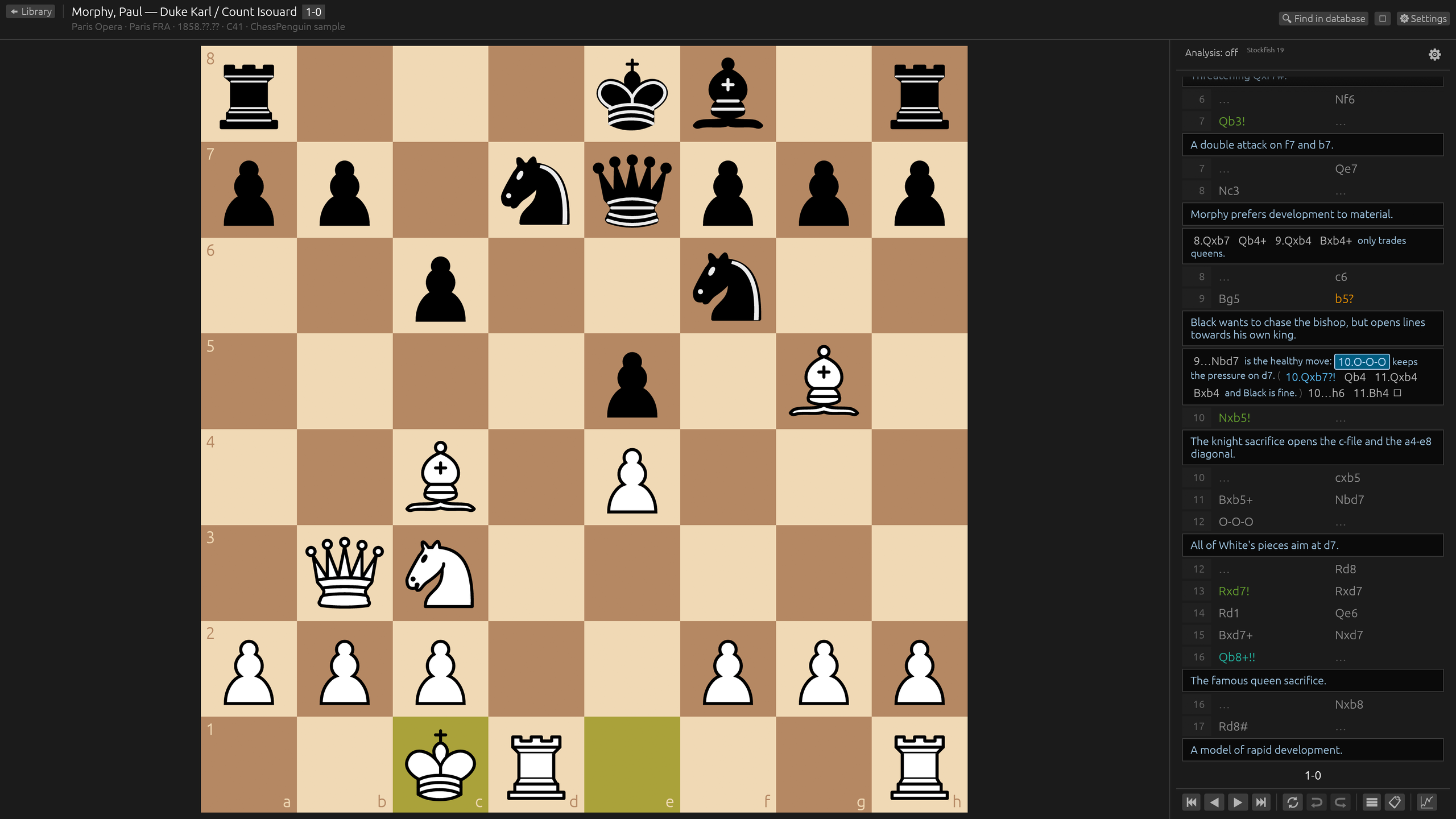
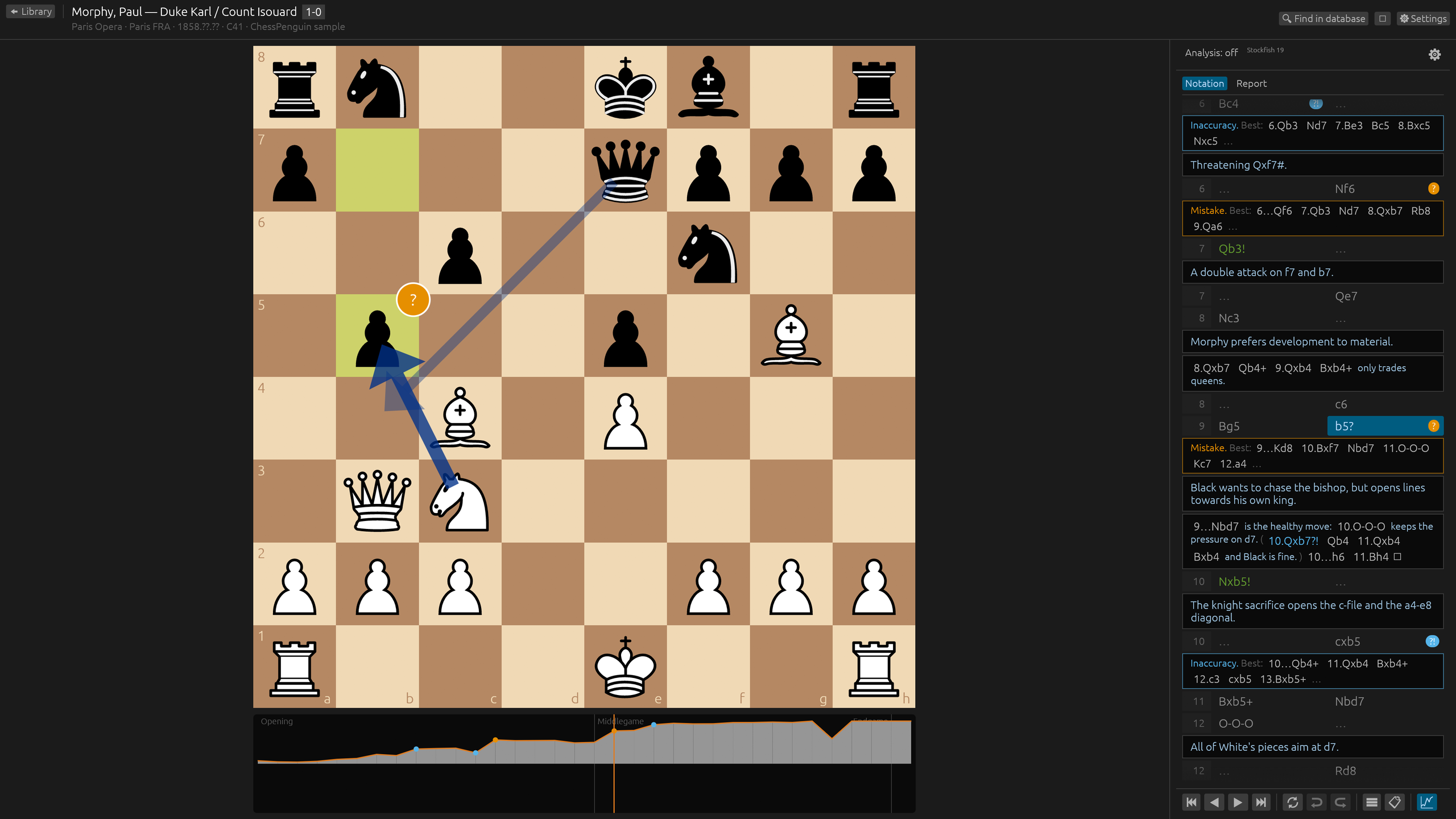
Variations, comments and symbols stay readable, however deep they go.
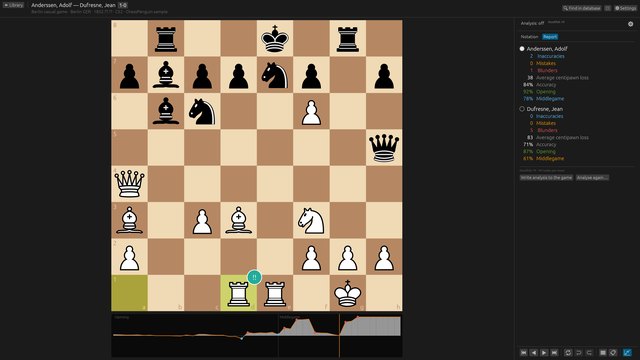
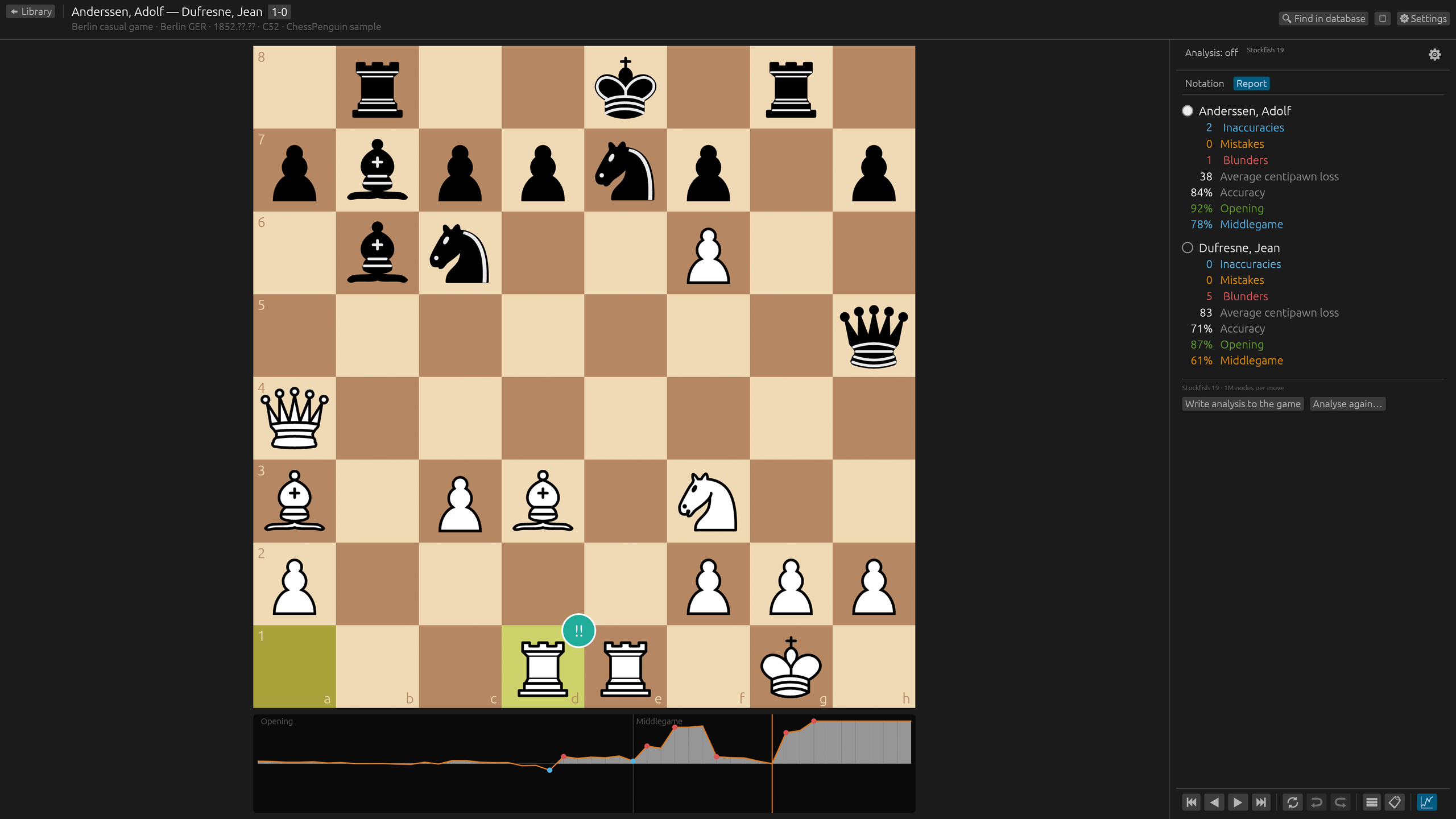
Analyse the whole game: evaluation graph, accuracy and mistakes for each player.
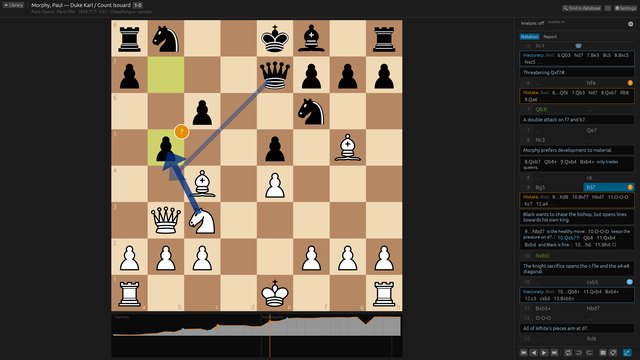
See where the game turned, with the better move for every mistake.
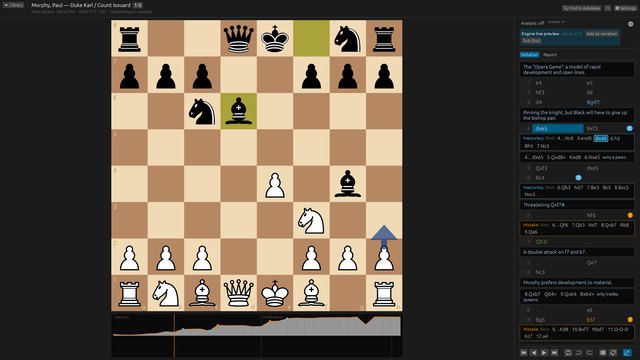
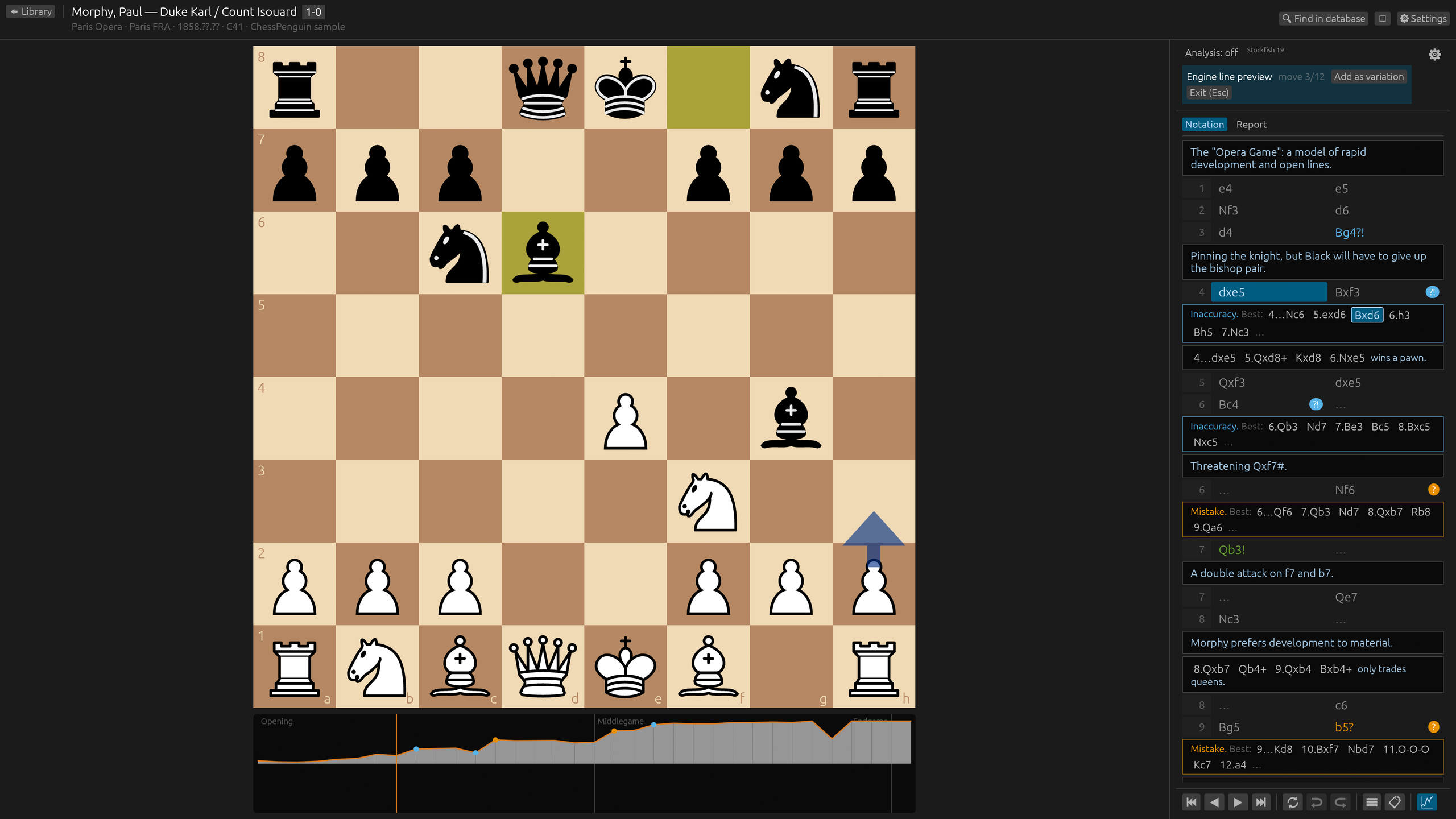
Step through an engine line without touching the game, then add it as a variation in one click.
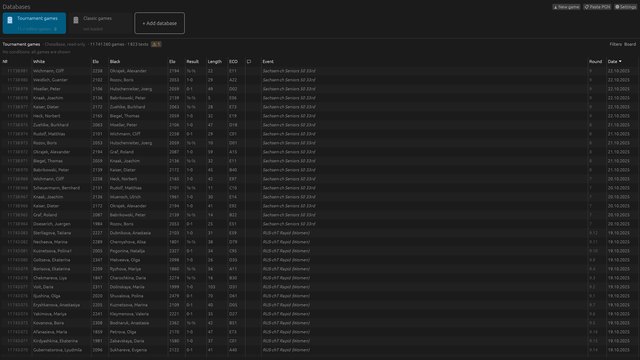
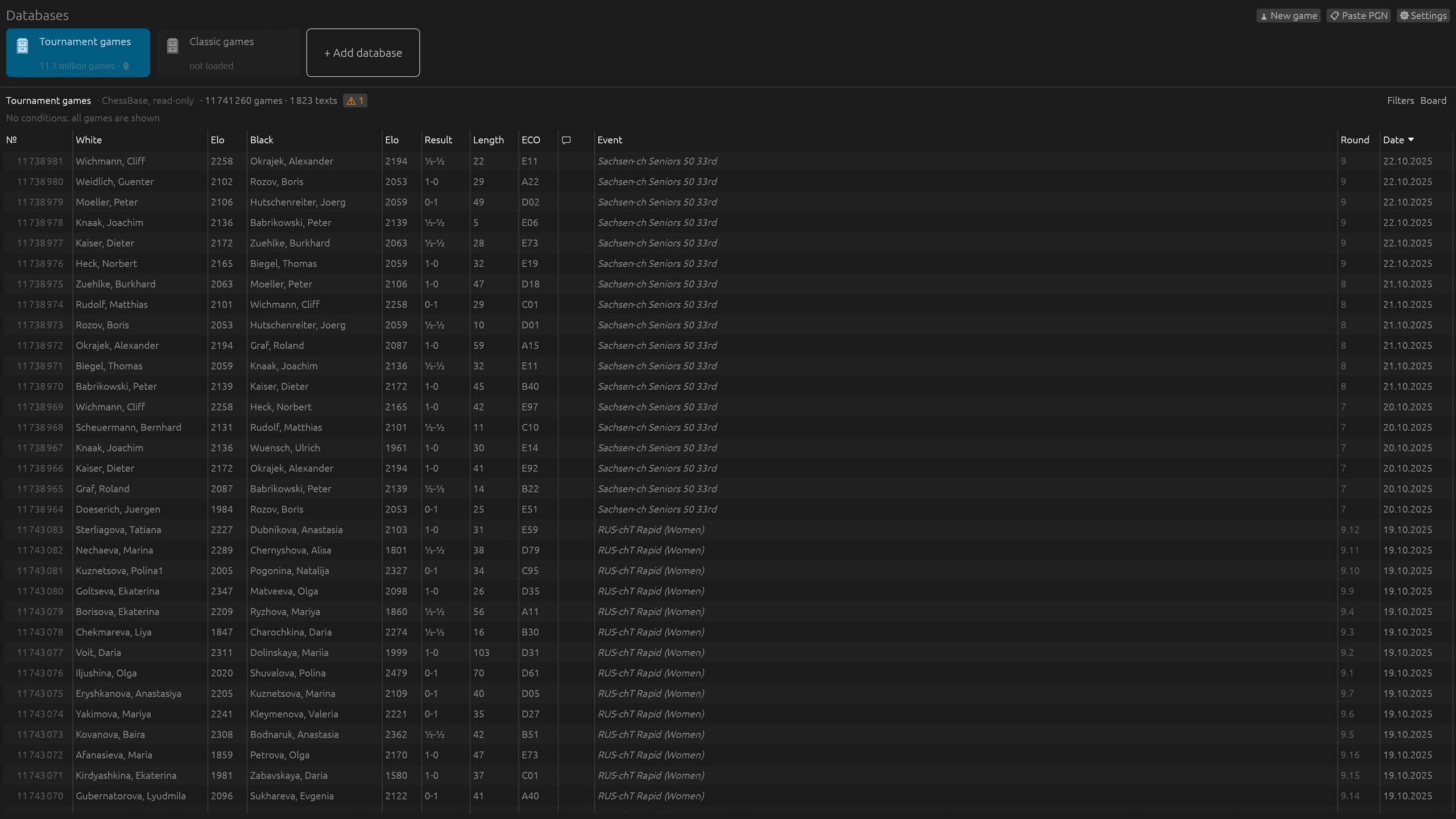
Keep all your databases at hand: PGN files, ChessBase databases and archives.
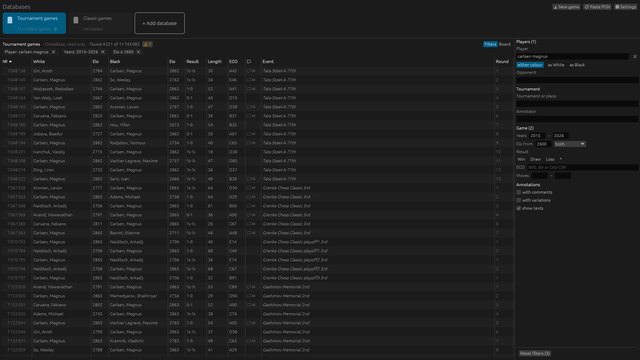
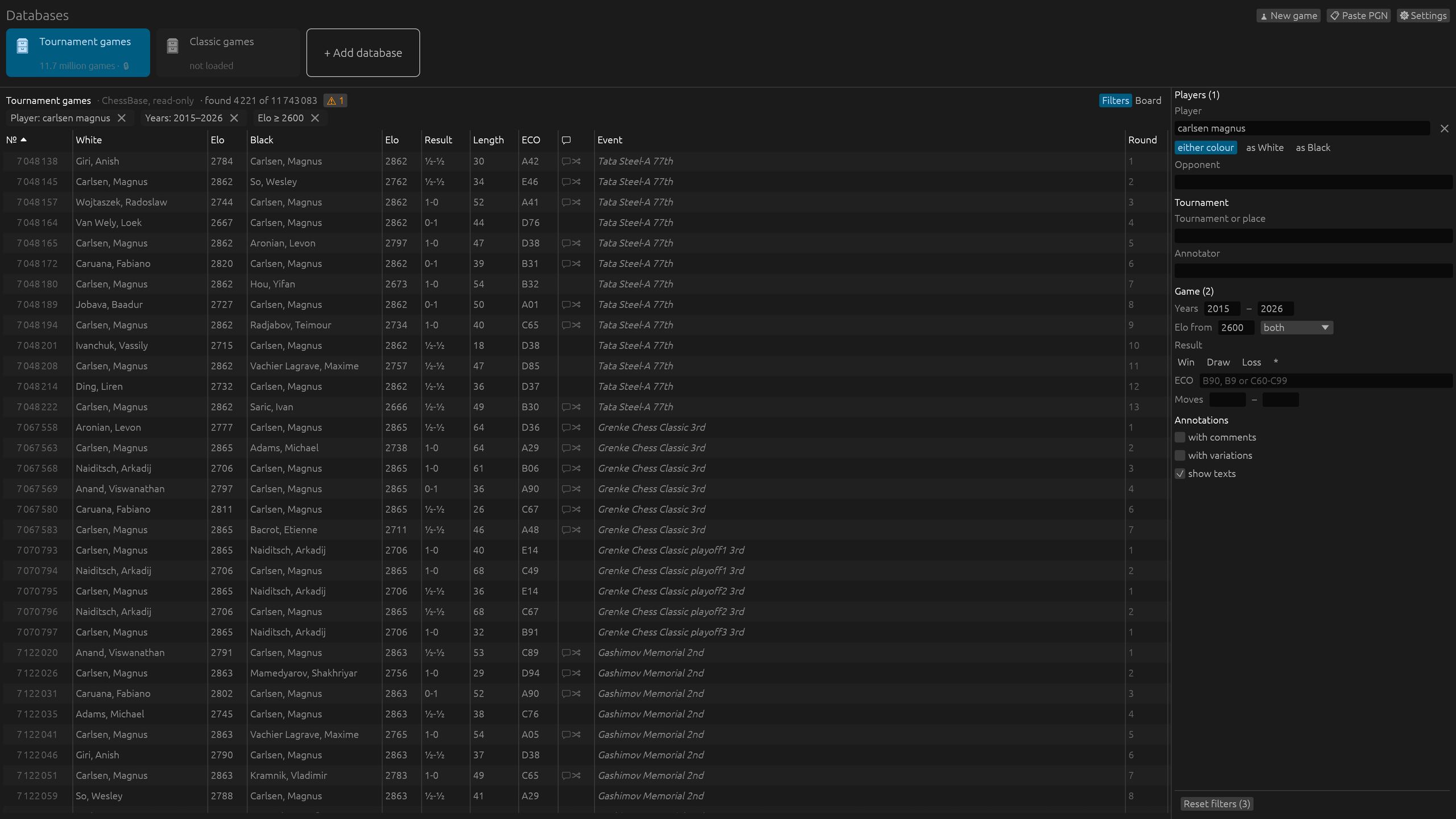
Millions of games open in seconds. Filter by player, event, years, rating, ECO and result as you type.
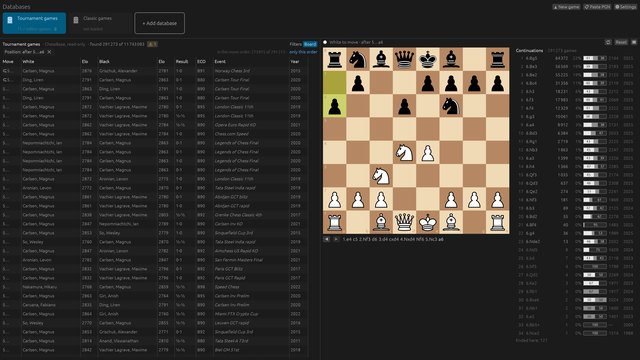
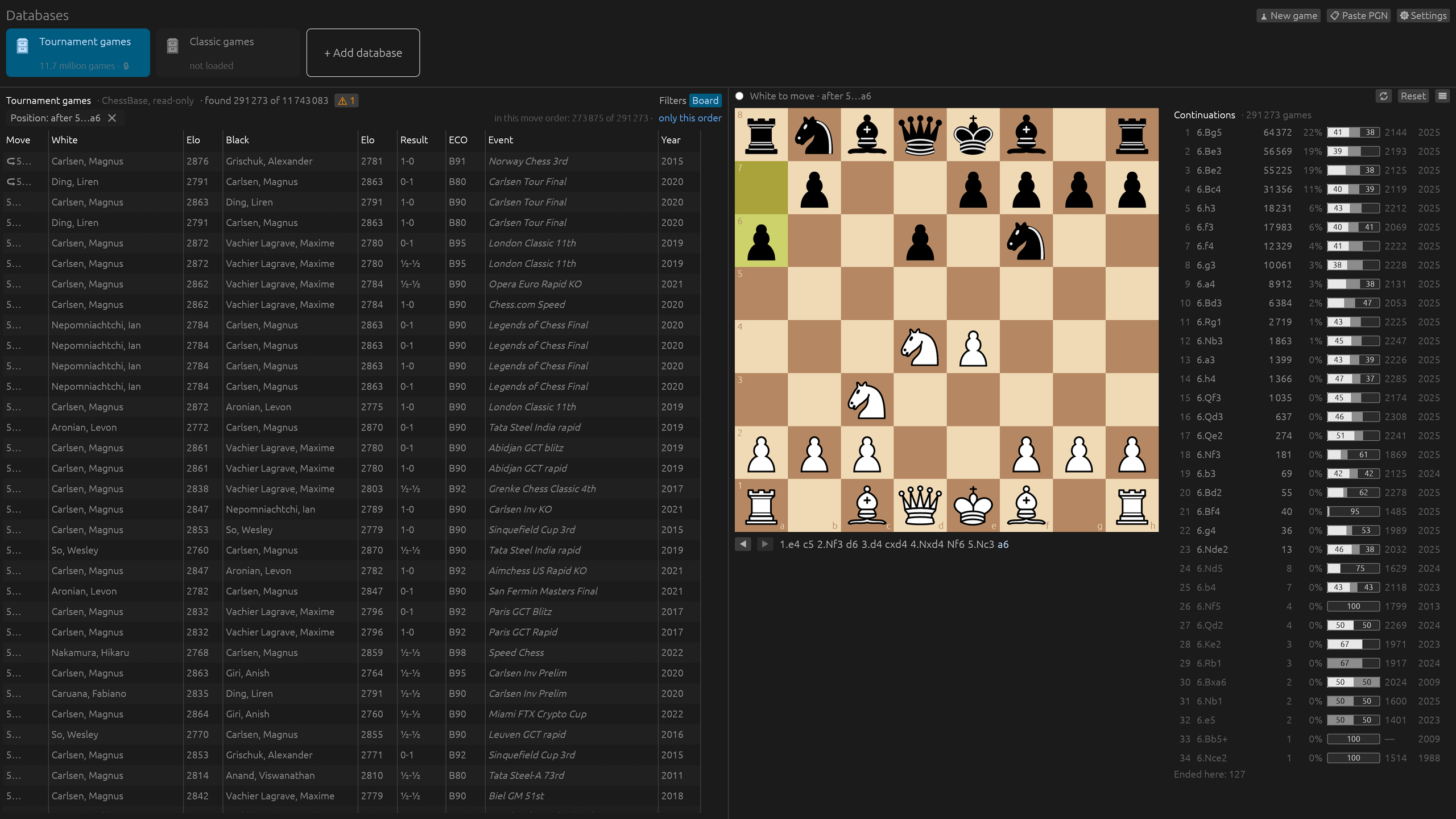
Find every game that reaches a position, with the moves played next and how they scored.
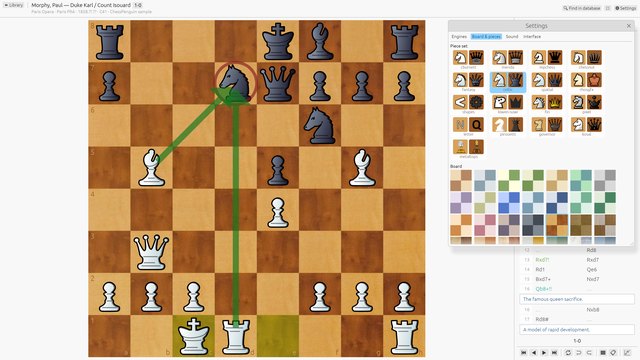
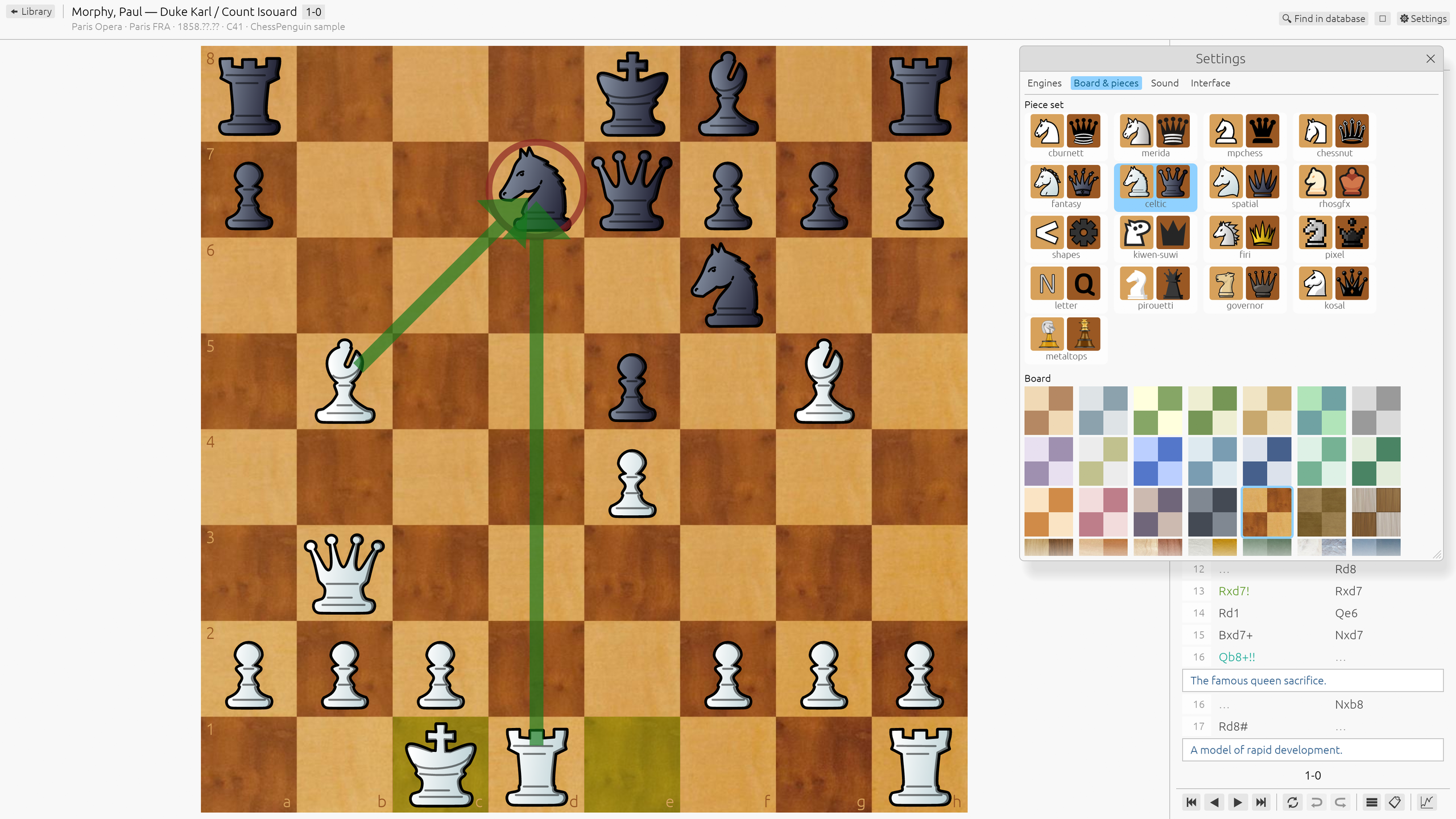
Make it yours: 17 piece sets, 37 boards, 7 sound sets, dark and light themes.
Everything you need to study chess
PGN and ChessBase
Open PGN files, ChessBase databases (.cbh, .cbv) and .zip or .7z archives. Old encodings and unusual PGN just work, and your files are never modified.
Annotated games, readable
The main line as a clean two-column table, comments and variations as blocks, move symbols and the author's arrows on the board.
Live engine analysis
Up to five engine lines, an evaluation bar and best-move arrows. Step through an engine line without touching the game and add it as a variation in one click.
Whole-game analysis
An evaluation graph, accuracy, and inaccuracies, mistakes and blunders for each player and game phase, with better moves right in the notation.
Millions of games
Large ChessBase databases open in seconds. Filter by player, event, years, rating, ECO and result, and the list updates as you type.
Search by position
Play moves on a board to find every game that reaches the position, by any move order, with the moves played next and how they scored.
Enter your own games
Add moves and variations, promote or delete lines, undo and redo, copy PGN or FEN, and save to a new PGN file.
Make it yours
17 piece sets, 37 boards, 7 sound sets, dark and light themes, and six languages: English, Russian, French, German, Spanish and Italian.
Download
Windows
- Unzip the archive (right-click → Extract All).
- Run ChessPenguin.exe from the extracted folder.
If Windows shows “Windows protected your PC”, click More info, then Run anyway. ChessPenguin isn't signed with a Microsoft certificate yet; you only need to do this once.
macOS
- Open the .dmg file and drag ChessPenguin to the Applications folder.
- The first time, open Applications, Control-click (or right-click) ChessPenguin and choose Open, then click Open again.
On macOS 15 Sequoia and later
- Double-click ChessPenguin. When macOS says it can't verify the app, click Done.
- Open System Settings → Privacy & Security and scroll down to Security.
- Click Open Anyway next to “ChessPenguin was blocked”, then confirm with your password.
You only need to do this once. ChessPenguin isn't signed by Apple yet because that requires a paid developer account. The app is open source and built on GitHub from the published code.
Still won't open?
Run this in Terminal, then open ChessPenguin again:
xattr -dr com.apple.quarantine /Applications/ChessPenguin.appMacs with Intel processors are not supported yet.
Linux
Pick the package for your distribution. Commands assume the file is in ~/Downloads; if your browser saves files elsewhere, change the path.
chmod +x ~/Downloads/ChessPenguin-0.6.0-x86_64.AppImage~/Downloads/ChessPenguin-0.6.0-x86_64.AppImagesudo apt install ~/Downloads/chesspenguin_0.6.0_amd64.debsudo dnf install ~/Downloads/chesspenguin-0.6.0-1.x86_64.rpmOn openSUSE: sudo zypper install ~/Downloads/chesspenguin-0.6.0-1.x86_64.rpm
sudo pacman -U ~/Downloads/chesspenguin-0.6.0-1-x86_64.pkg.tar.zstflatpak install --user ~/Downloads/ChessPenguin-0.6.0-x86_64.flatpakflatpak run io.github.vrubelroman.chessPenguinIf Flatpak asks for a runtime, add Flathub first: flatpak remote-add --user --if-not-exists flathub https://dl.flathub.org/repo/flathub.flatpakrepo
Unpack it anywhere and run chesspenguin. No installation, no menu entry.
Verify your download: SHA256SUMS.txt · All releases on GitHub ↗ · Source code ↗
How to verify
Download SHA256SUMS.txt into the same folder as the file, then run:
Linux
sha256sum -c --ignore-missing SHA256SUMS.txtmacOS
shasum -a 256 -c --ignore-missing SHA256SUMS.txtWindows (PowerShell)
Get-FileHash .\ChessPenguin-0.6.0-windows-x86_64.zipCompare the result with the line for this file in SHA256SUMS.txt.
Chess engine
ChessPenguin analyses with Stockfish, the strongest free chess engine. To keep the download small, Stockfish isn't inside the app: the first time you start an analysis, ChessPenguin offers to download the official build (about 80 MB), checks it and starts the analysis. You can also do it any time in Settings → Engines.
- The Flatpak already includes Stockfish.
- Prefer to install it yourself? A stockfish installed on your system is found automatically, or point ChessPenguin to the file.
- Any UCI engine can be added in Settings → Engines.
Open source
ChessPenguin is free software under the GNU GPL 3.0 or later, written in Rust. The source code and every release build are on GitHub, built automatically from the published code. Use it, study it, share it, improve it.
Piece sets, boards and sounds come from Lichess under their own free licenses. Third-party licenses
Support
Found a problem or have an idea? Write to us — every message is read, and suggestions shape what comes next.
You can also open an issue on GitHub: GitHub Issues ↗
When reporting a problem, please mention your ChessPenguin version and system, and attach the PGN file if the problem is with a game.